Transaction History
Overview
There are two ways to view transaction history.
- You can find all transactions for your organization in the Transaction History section. Easily search by currency, user, transaction type, and more.
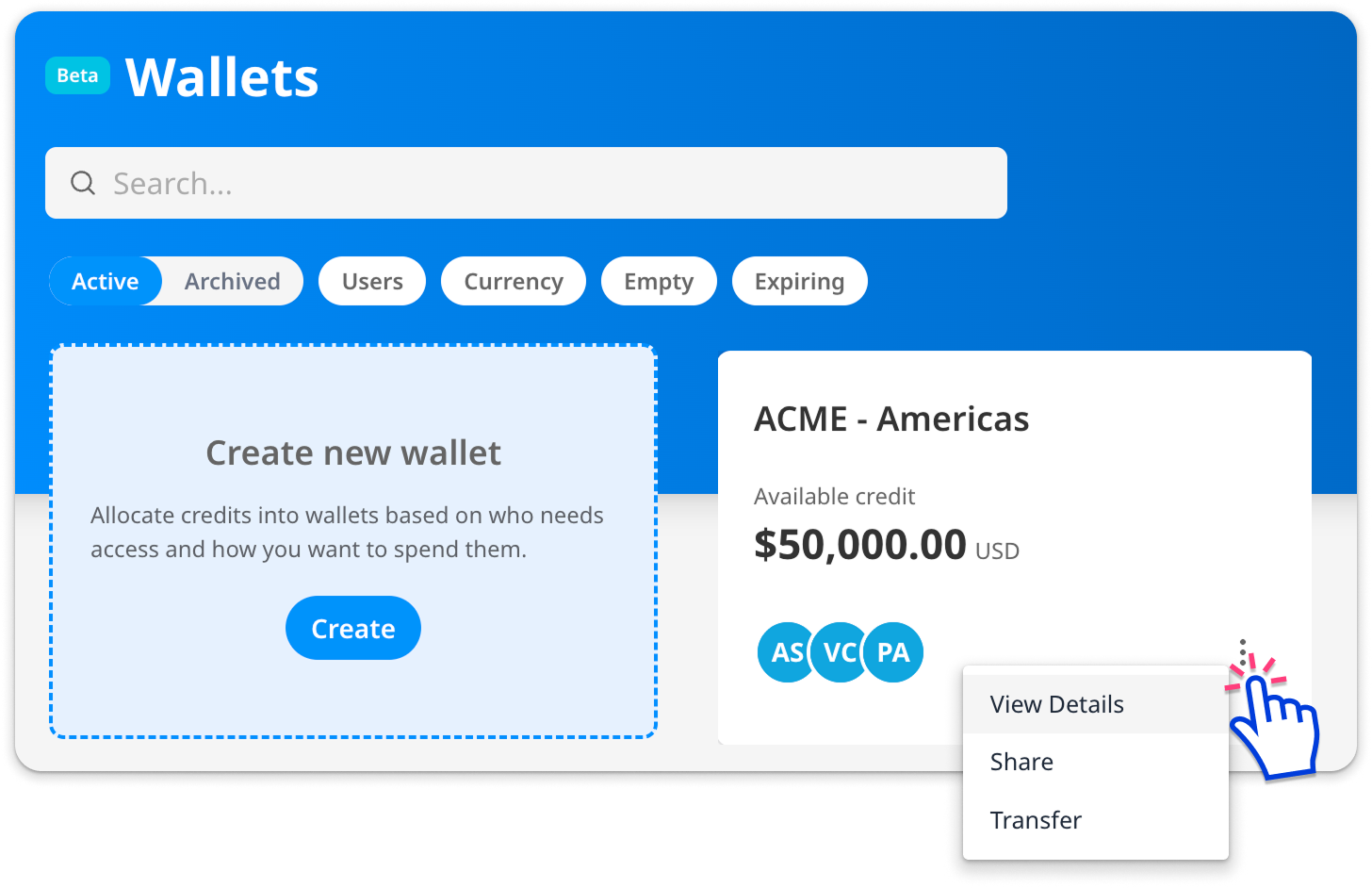
- You can find the transaction history for an individual wallet by clicking the 3-dot menu and selecting Details.
Overall Transaction History
Select the Transaction History tab in the menu on the left. Here you can find all transactions for all wallets you have access to.

Click ‘Details’ to find more information about the individual transaction.

You can adjust the visible columns and order by clicking the grid icon in the upper right, and export a CSV of the current view by clicking the download button.

Wallet Transaction History
Click the three-dot menu and select ‘View Details’. Click the ‘Transaction History’ tab at the top of the page.
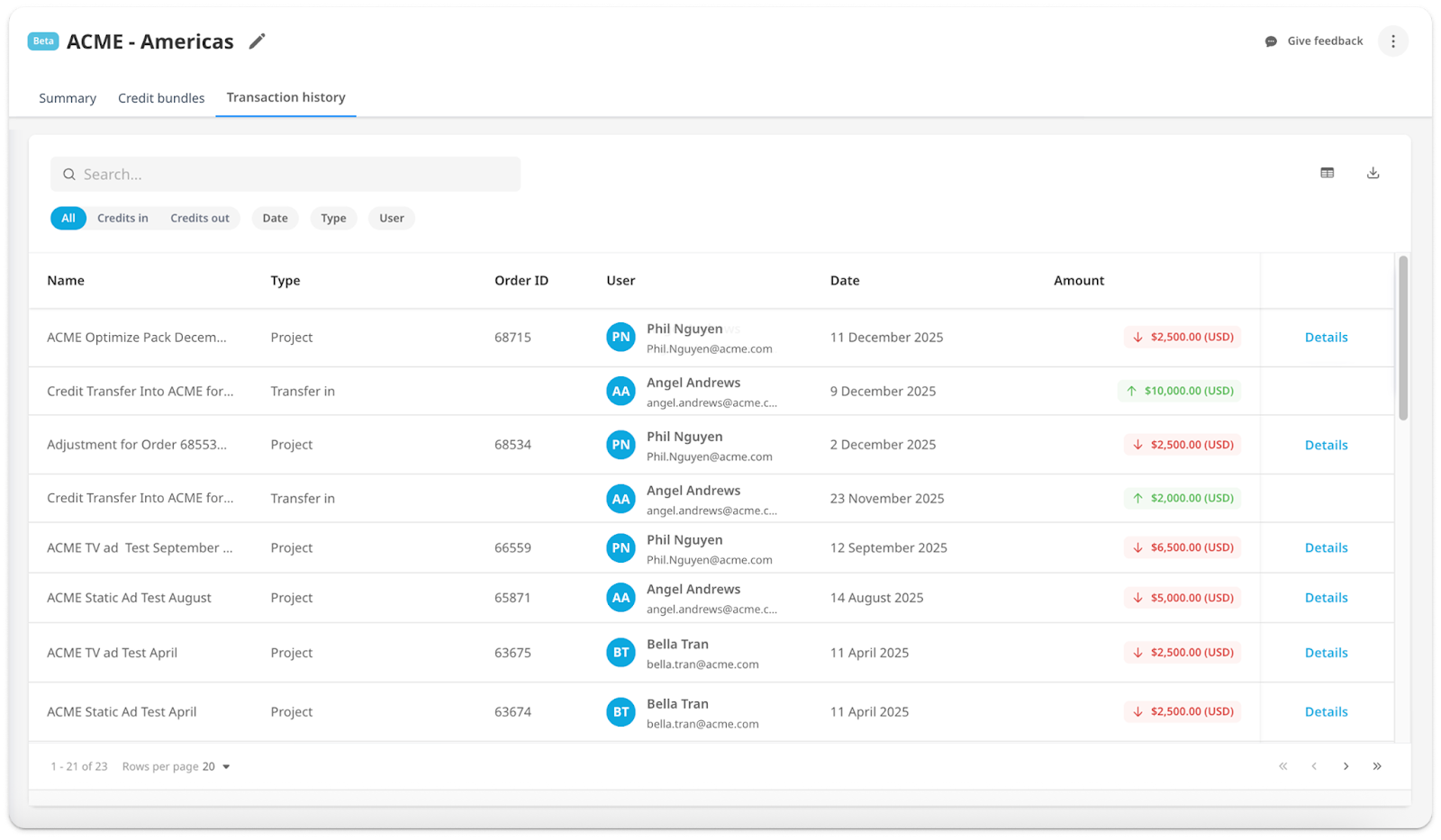
You can adjust the visible columns and order by clicking the grid icon in the upper right, and export a CSV of the current view by clicking the download button.
Transaction types
| Top Up | Credits added after initial credit purchase. These credits expire after one calendar year or upon discontinuation of a Zappi Subscription. |
|---|---|
| Transfer In | Credits transferred in from another wallet |
| Transfer Out | Credits transferred out of this wallet |
| Project | Credits spent on a project |
| Tracker | Credits spent on a Brand Tracker |
| Service | Credits spent on a Zappi Service |
| Expired | Credits passed their expiry date |
| Refund | Refunded credits |
| Cancelled Credits | Cancelled credits reflect an adjustment made to your account when the number of credits originally added is more than what your final payment covers. For example, if credits were added to your account ahead of payment and the final agreed amount results in a lower credit total, the difference will appear as cancelled credits. |