How to purchase and use credits
Overview
When you get started with Zappi, we will help to scope out your initial research needs and recommend a credit purchase amount.
If you need to top up your credits at any time, speak to your customer representative to help you scope out your needs and recommend the correct credit bundle.
Using credits
When you purchase a credit bundle, it will be added to a wallet on the Zappi platform.
Wallets allow you to allocate and track credit usage across different teams, regions, or business functions (such as Innovation or Advertising).
To see the wallets that you have access to in your account, click your avatar in the bottom left, then select ‘Plan and Credit’. You can see the amount of money and who has access to use each wallet.

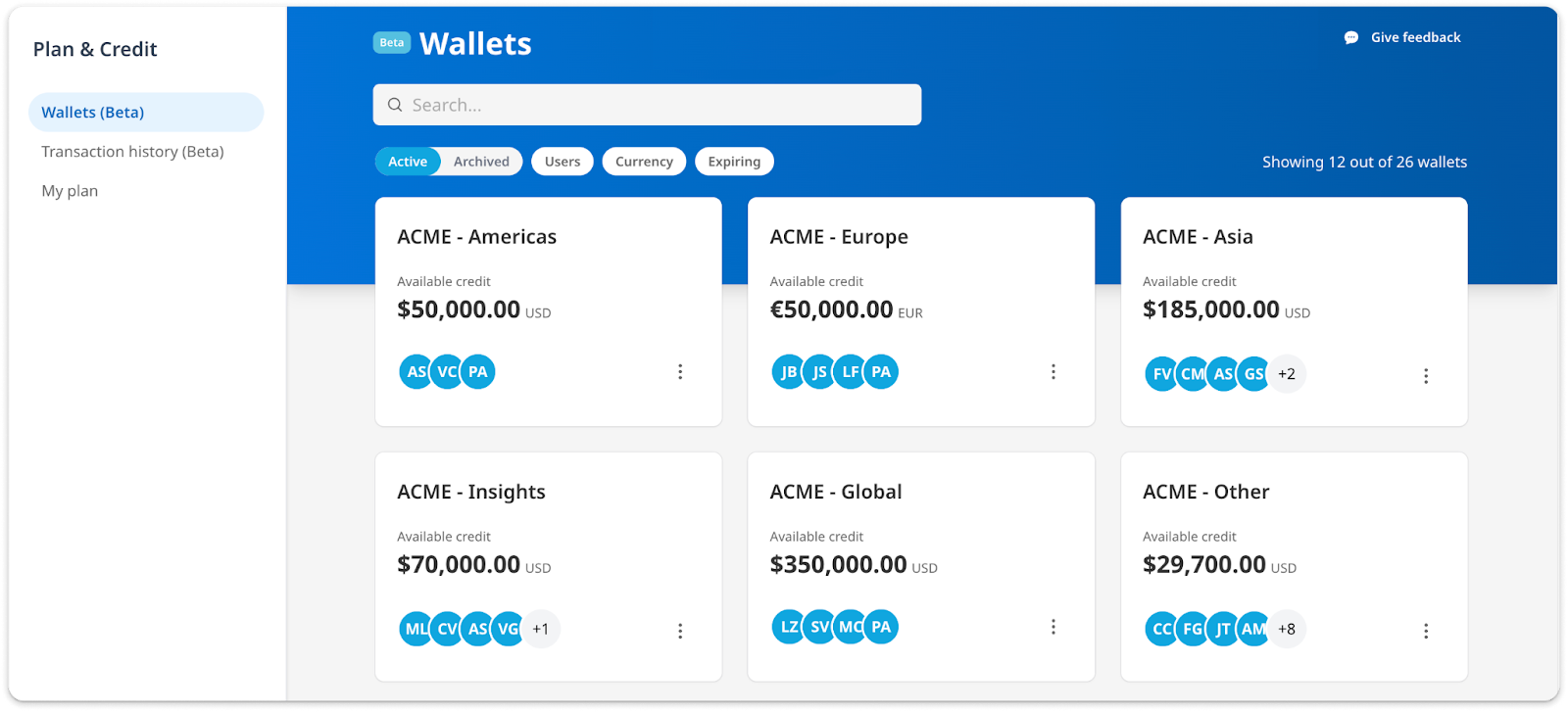
You can search for wallets by keyword, or filter by using the buttons under the search bar.
If you are an admin user, you can share access with other users, rename the wallet, and make transfers between wallets.
Using Credits
Once your project is configured, you can select a wallet to use at checkout.
If your wallet contains discounted credits, the savings will be reflected in the final project price as the Effective Discount.
If your wallet doesn't have enough credits to cover the project, you'll need to add more before launching. Admins can transfer credits from another wallet instead. Transferred credits must be in the same currency, but they can carry any discount rate.